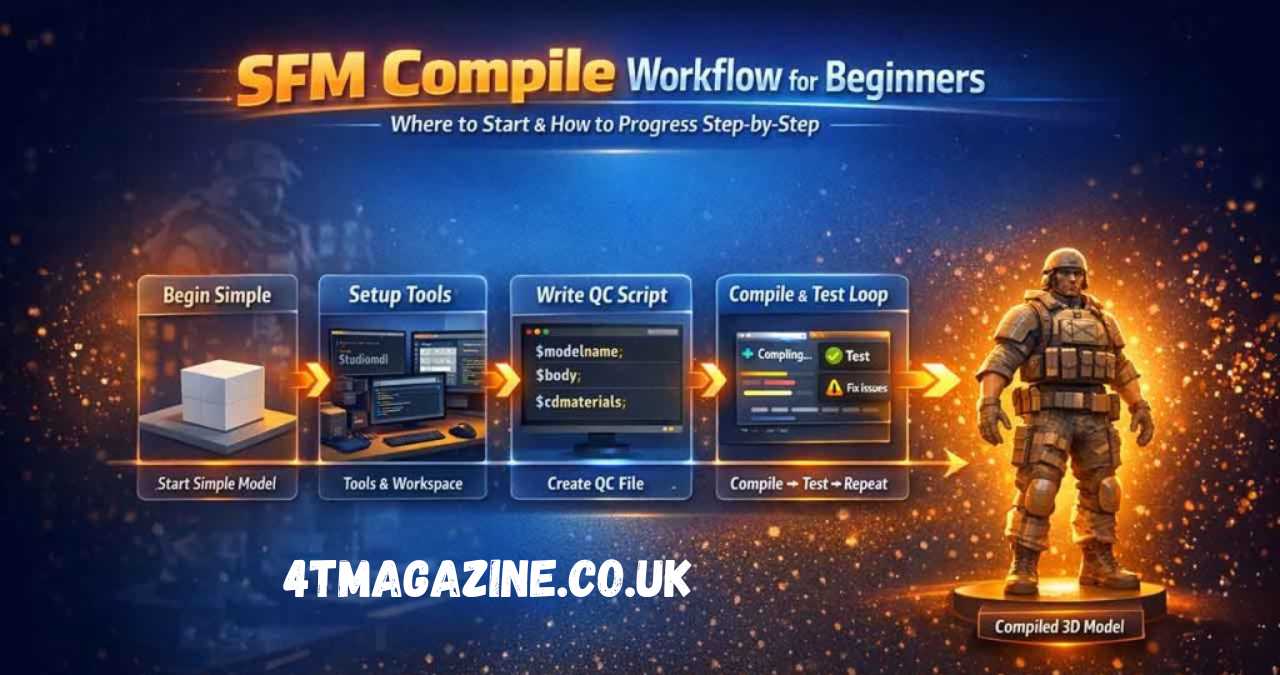
SFM Compile is a fundamental process in Source Filmmaker (SFM), the animation and machinima tool developed on Valve’s Source Engine. In simple terms, it refers to the conversion of raw 3D assets—such as models, textures, animations, and maps—into engine-readable formats that SFM can load and render properly. Without this process, most custom content simply will not work inside the software, making compilation an essential step for every creator working in the Source ecosystem.
Unlike modern animation software that supports direct file import, SFM relies on a structured pipeline where assets must be prepared and compiled before use. This includes transforming files like .SMD, .DMX, or .QC scripts into usable outputs such as .MDL models or .BSP maps. The reason behind this requirement is the legacy architecture of the Source Engine, which was designed for optimized in-game performance rather than real-time asset interpretation. As a result, compilation ensures that assets are properly formatted, optimized, and linked for smooth playback inside SFM scenes.
For beginners, SFM compile may appear technical and complex, but it is essentially a bridge between creative tools and the engine itself. Every model you import, every texture you apply, and every animation you play has gone through this process in some form. Understanding this workflow is crucial for building stable projects and avoiding common issues like missing textures, broken rigs, or crashes.
Understanding the SFM Compile Process
The SFM compile process works as a translation system between external 3D software and the Source Engine environment. When artists create models in tools like Blender or Maya, the output is usually in generic formats that SFM cannot read directly. Compilation converts these files into structured packages that the engine can interpret, ensuring compatibility and performance stability across all assets used in a scene.
During compilation, different asset types undergo different transformations. For example, 3D geometry is processed into .MDL files, while texture images are converted into .VTF and .VMT formats. Animation data is also compiled to ensure proper bone structure and movement playback. This multi-layered system ensures that all components of a model are synchronized and usable inside SFM. Without this process, models would appear broken, textures would fail to load, and animations would not function correctly.
A compiled model is not a single file but a collection of interconnected components that work together. These include vertex data, skeletal structures, physics meshes, and material references. Each component plays a specific role in rendering and interaction inside the engine. This separation is one of the reasons why SFM is powerful yet technically demanding. It requires users to understand how assets are structured and how they interact during runtime.
Essential Tools Required for SFM Compile
To successfully perform SFM compilation, creators rely on a combination of official tools and community-developed utilities. The most important tool is the Source Model Compiler, commonly known as studiomdl.exe. This tool processes QC script instructions and converts raw model data into usable engine files. It is the backbone of model compilation in SFM and is required for nearly every custom asset.
In addition to the core compiler, tools like Crowbar are widely used because they provide a user-friendly interface for compiling and decompiling models. Instead of relying solely on command-line operations, Crowbar simplifies the workflow and helps users identify errors more easily. For textures, VTFEdit is commonly used to convert image files into Source-compatible formats such as VTF and VMT.
3D modeling software such as Blender, Maya, and 3ds Max are also essential parts of the pipeline. These tools are used to create and rig models before they are exported for compilation. Proper organization of assets inside these programs is critical, as errors in rigging or UV mapping can lead to compilation failures later in the process. Together, these tools form a complete ecosystem that supports SFM’s asset pipeline.
Step-by-Step SFM Compile Workflow
The SFM compile workflow begins with asset preparation. This includes modeling, rigging, and UV mapping in external 3D software. Creators must ensure that models are properly scaled, have correct bone structures, and are optimized for performance. Poorly prepared assets often result in compile errors or unstable behavior in SFM scenes.
Once the asset is ready, the next step is writing a QC (QuakeC) script. This script acts as an instruction file for the compiler, defining how the model should be processed. It includes details such as model name, material paths, animation sequences, and physics definitions. A well-structured QC file is essential because even small mistakes can cause compilation to fail or produce incomplete outputs.
After preparing the QC file, the compilation process is executed using tools like studiomdl or Crowbar. The compiler reads the QC instructions and generates the final asset files required by SFM. These outputs are then placed into the correct directory structure so that SFM can detect and load them properly.
Finally, testing is performed inside SFM. This step ensures that models appear correctly, textures are applied properly, and animations function as expected. If issues are found, creators must return to earlier steps to debug and recompile. This iterative cycle is a normal part of SFM development.
Common Problems in SFM Compile and How to Fix Them
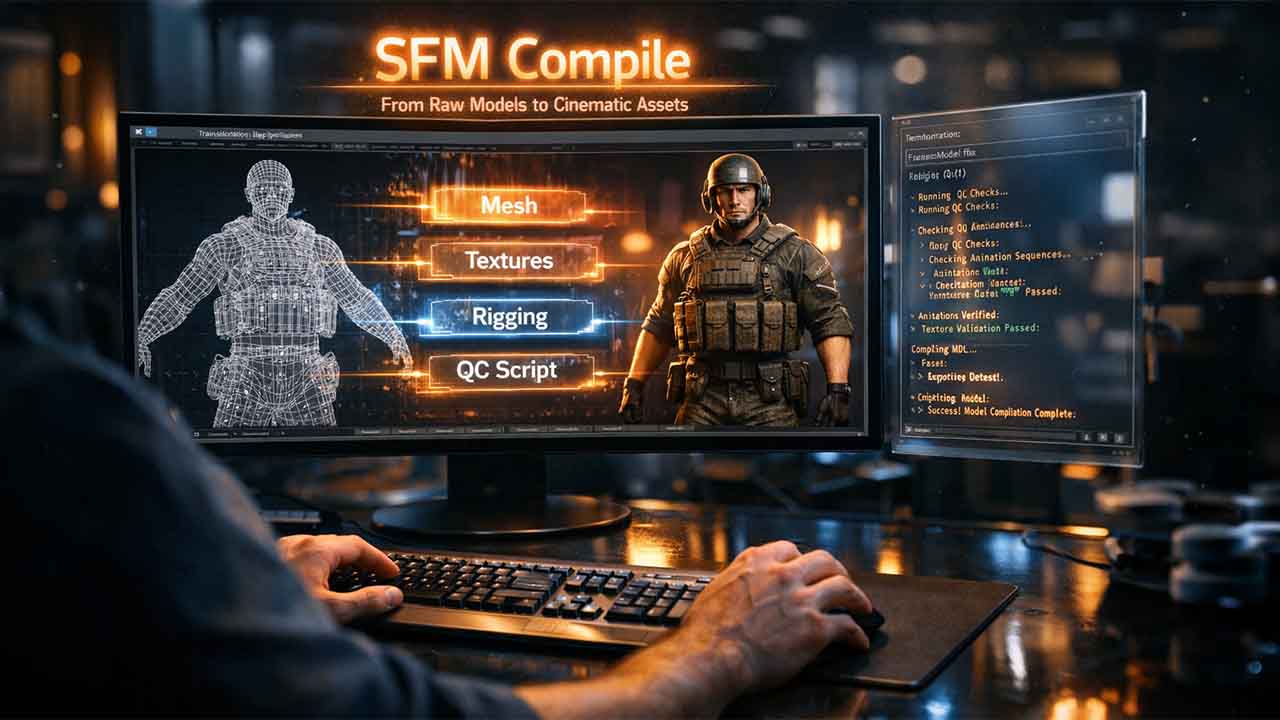
One of the most common issues in SFM compile is missing textures, often displayed as purple or black checkerboard patterns. This usually occurs when material paths are incorrectly defined in the QC file or when VMT/VTF files are missing. Ensuring correct directory structure and file naming conventions can resolve this issue.
Another frequent problem is compilation failure due to model errors. These may include bone weighting issues, excessive polygon counts, or incorrect rigging setups. When this happens, the compiler may crash or produce incomplete output files. Optimizing the model in the 3D software before exporting is often the best solution.
Animation errors are also common, especially when sequences are not properly defined in the QC script. Missing or broken animation references can cause models to appear static or behave incorrectly inside SFM. Carefully checking sequence definitions and ensuring correct frame exports helps prevent these issues.
Map compilation errors, such as leaks or lighting failures, can also occur when working with SFM environments. These problems usually originate from improper level design or missing geometry seals. Fixing map structure and re-running the compile pipeline often resolves these errors.
Advanced SFM Compile Techniques
Advanced users often optimize SFM compile workflows to improve performance and reduce errors. One common technique is model optimization, which involves reducing polygon counts and simplifying physics meshes. This helps improve rendering performance and prevents engine overload during complex scenes.
Another advanced method is the use of bodygroups, which allow multiple model variations within a single asset. This is particularly useful for character customization and modular design. Proper QC scripting is required to manage bodygroups efficiently.
Lighting optimization is also an important advanced technique. Since SFM relies heavily on baked lighting, creators often fine-tune VRAD settings to achieve realistic results without excessive compile time. Efficient lighting design significantly improves scene quality.
Batch compilation is another powerful workflow improvement. By automating the compile process using scripts or tools like Crowbar, creators can save time and reduce repetitive manual work. This is especially useful for large projects with multiple assets.
Conclusion
SFM compile is a core process that defines how Source Filmmaker operates behind the scenes. It transforms raw creative assets into structured, engine-compatible files that allow smooth animation, rendering, and scene building. While it may appear technical at first, understanding the compile workflow is essential for producing stable and professional-quality SFM projects.
By mastering tools, QC scripting, and troubleshooting techniques, creators can significantly improve both efficiency and output quality. Whether you are building simple animations or complex cinematic scenes, a strong understanding of SFM compile ensures that your creative vision is fully realized inside the Source Engine.
FAQs (SEO Optimized)
1. What is SFM Compile in Source Filmmaker workflow?
SFM Compile is the process of converting raw 3D assets like models, textures, and animations into Source Engine-compatible formats that can be used inside Source Filmmaker.
2. Why is SFM Compile important for animation projects?
It ensures that all assets load correctly, preventing issues like missing textures, broken models, and animation errors in SFM scenes.
3. What tools are required for SFM Compile process?
Common tools include studiomdl.exe, Crowbar, VTFEdit, and 3D software like Blender for asset creation and preparation.
4. What are common SFM Compile errors?
Typical errors include missing textures, model crashes, bone weighting issues, and incorrect QC scripting.
5. How can I fix SFM Compile problems quickly?
Most issues can be fixed by checking file paths, optimizing models, correcting QC scripts, and ensuring proper texture compilation.